
The home cockpit that teaches you.
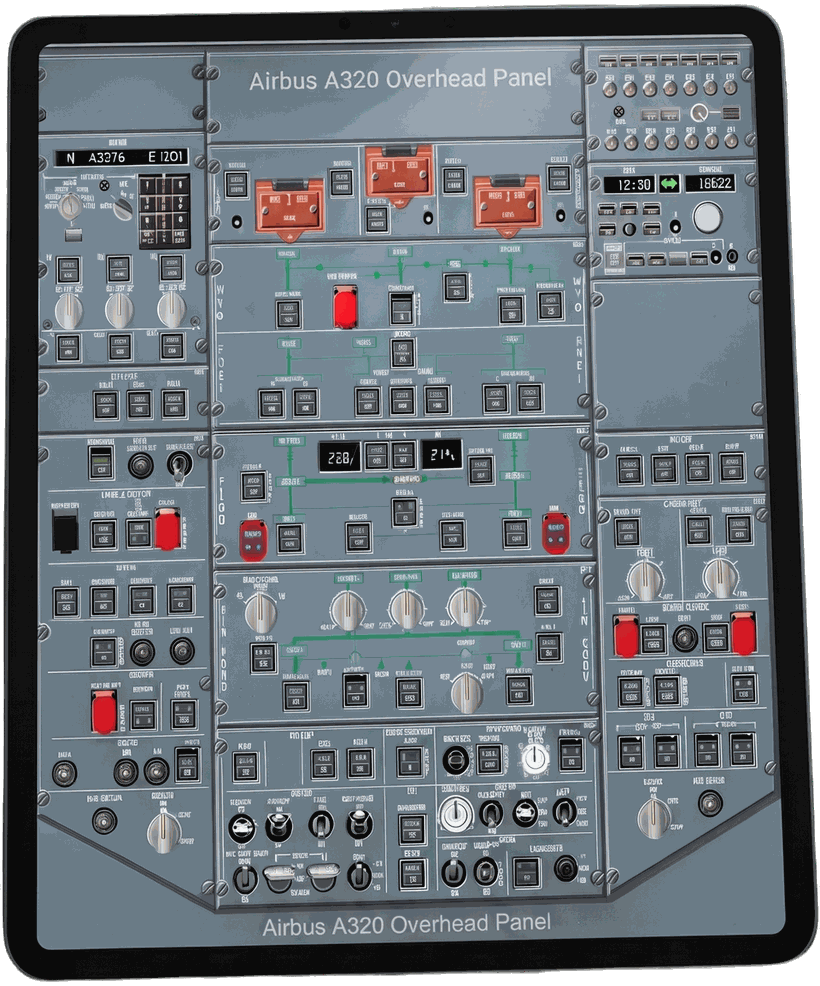
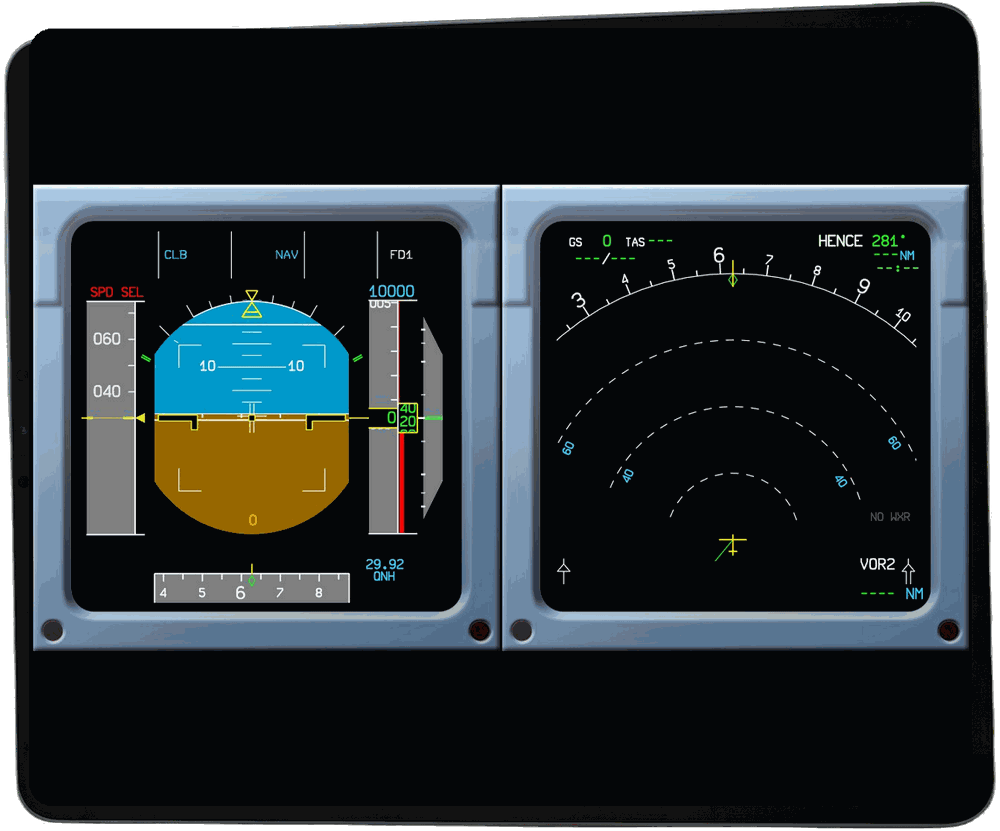
Flystructor turns your iPad, Mac or a touchscreen into an instructor station for Microsoft Flight Simulator and X-Plane. Mirror your cockpit panels and fly them by touch. See every panel free, unlock the ones you want to control.
Everything the home cockpit needs.
One station for your displays, your panels and your instructor, on the hardware you already own.
Touch your panels
Mirror your sim's PFD, ND, overhead and pedestal onto a touchscreen and fly them by touch. No extra hardware required.
Instant failures
Inject engine, hydraulic, gear and instrument failures the moment you want to test a reaction.
Freeze & reposition
Freeze and place the aircraft on any approach, anywhere on Earth, to fly the exercise again.
Scenario setup
Set fuel, payload and time of day, then build a training scenario around any flight.
Any aircraft, adaptive
Flystructor reads the cockpit and adapts itself, single or multi-engine, from GA to widebody.
See free, control paid
Every panel is live and visible for free. Unlock the ones you want to touch, the FCU is free forever.
Supported aircraft packages.
We start with the types below and add a new aircraft every month.
General Aviation
Narrowbody
Widebody
Start free. Pay for what you touch.
See every panel for free. Unlock the ones you want to control, or go All-Access for everything. Launch pricing, early-access members get the first word.
- Every panel, visible & live
- FCU fully free, forever
- Freeze, telemetry & map
- Every panel on every aircraft
- Pro instructor tools included
- Future panels included
- 7-day free trial · or $39.99/yr
- Unlock single panels you want
- A320 pack (8 panels) $9.99
- Pro instructor tools $4.99
Good questions.
How much does it cost?
The app is free. Every panel is visible for free and the FCU is fully free. Unlock individual panels from $2.99, the A320 pack for $9.99, or go All-Access ($6.99/mo or $39.99/yr, with a 7-day free trial) for every panel on every aircraft. See it free, pay only for what you want to control.
Do I need special hardware?
No. Flystructor works on stock Microsoft Flight Simulator and X-Plane. Use an iPad, a Mac or a touchscreen monitor. If you already own panels or hardware, you can bring them too.
Can I use a touchscreen as my panels?
Yes. Mirror the simulator's panels onto a touchscreen and fly them by touch, the overhead, the pedestal and the main instruments, laid out for the aircraft you are flying.
Which simulators are supported?
Microsoft Flight Simulator 2020 and 2024, and X-Plane. Prepar3D support is planned.
Do I need a PC?
Yes. The simulator runs on a Windows PC. Flystructor runs on your iPad or Mac and connects over your home network, so you instruct and control from the second screen.
Is Flystructor affiliated with Airbus or Boeing?
No. Flystructor is independent. Aircraft names are used only to describe compatibility.
Be first in the cockpit.
Flystructor is coming to the App Store for iPad and Mac. Email us to join the early-access list.